Best AI Tools for Students in 2026
Quick Answer
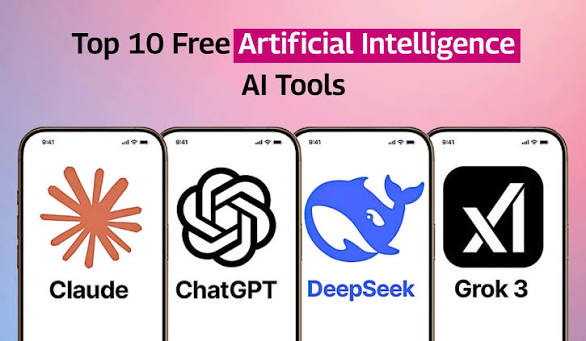
Here are the best AI tools for students in 2026: ChatGPT, Google Gemini,
Claude AI, Perplexity AI, Notion AI, Grammarly, and Canva AI. These tools
help students study faster, write better, summarize notes, research topics,
create presentations, and improve productivity.
Best AI Tools for Students in 2026 – Comparison Table
| AI Tool | Best For | Free Version | Official Link |
|---|---|---|---|
| ChatGPT | Study help, writing, coding | Yes | Visit ChatGPT |
| Google Gemini | Research and Google tools | Yes | Visit Gemini |
| Claude AI | Long notes and summaries | Yes | Visit Claude |
| Perplexity AI | AI search with sources | Yes | Visit Perplexity |
| Notion AI | Notes and productivity | Limited | Visit Notion AI |
| Grammarly | Grammar and writing | Yes | Visit Grammarly |
| Canva AI | Presentations and designs | Yes | Visit Canva AI |
Why AI Tools Are Useful for Students
AI tools are becoming very popular among students because they make learning
faster and easier. Instead of spending hours searching for answers, students
can ask AI tools to explain topics in simple words, summarize long notes,
create study plans, and improve writing.
In 2026, AI is not only used for answering questions. Students also use AI
for presentations, research, coding, language learning, exam preparation,
and productivity.
1. ChatGPT
ChatGPT is one of the best overall AI tools for students. It can explain
difficult topics, help with writing, generate ideas, summarize content,
and assist with coding.

Pros
- Easy to use
- Good for studying and writing
- Helpful for coding and explanations
- Supports voice and chat features
Cons
- Can sometimes give incorrect answers
- Some advanced features may require a paid plan
How to Use ChatGPT
- Go to ChatGPT.
- Create or sign in to your account.
- Ask your study question in simple words.
- Ask follow-up questions if you need a simpler explanation.
2. Google Gemini
Google Gemini is useful for students who use Google services like Gmail,
Google Docs, and Google Search. It can help with research, writing, and
understanding topics quickly.
Pros
- Works well with Google tools
- Good for research
- Supports text, image, and voice features
Cons
- Some answers may be too general
- Features may vary by country
How to Use Google Gemini
- Visit Google Gemini.
- Sign in with your Google account.
- Ask questions about your subject or project.

3. Claude AI
Claude AI is a strong tool for reading, summarizing, and rewriting long
documents. It is useful for students who work with long notes, reports,
or research material.
Pros
- Excellent for long content
- Good writing quality
- Useful for summaries and reports
Cons
- Free usage may be limited
- May not be available in every region
How to Use Claude AI
- Open Claude AI.
- Sign in or create an account.
- Paste your notes or topic and ask for a summary.

4. Perplexity AI
Perplexity AI is useful for students who want AI answers with sources. It
works like an AI search engine and helps students find information quickly.
Pros
- Provides source links
- Good for research
- Useful for latest information
Cons
- Some advanced features are paid
- Answers may need extra verification
How to Use Perplexity AI
- Visit Perplexity AI.
- Type your research question.
- Check the sources before using the information.
5. Notion AI
Notion AI is useful for students who want to organize notes, assignments,
tasks, and study plans in one place.
Pros
- Great for note-taking
- Helps organize study plans
- Useful for productivity
Cons
- Can be confusing for beginners
- Some AI features may require payment
How to Use Notion AI
- Go to Notion AI.
- Create a workspace for your studies.
- Use AI to summarize notes and create tasks.
6. Grammarly
Grammarly helps students improve writing by correcting grammar, spelling,
tone, and sentence clarity.
Pros
- Easy grammar correction
- Improves writing clarity
- Browser extension available
Cons
- Advanced suggestions require premium
- Not a full study assistant
How to Use Grammarly
- Visit Grammarly.
- Install the browser extension or app.
- Use it while writing essays, emails, or assignments.
7. Canva AI
Canva AI is helpful for students who need to create presentations, posters,
project designs, and visual content quickly.
Pros
- Easy drag-and-drop editor
- Good for presentations
- Many free templates
Cons
- Some templates and features are paid
- Requires internet connection
How to Use Canva AI
- Open Canva AI.
- Choose a presentation or design template.
- Use AI tools to create images, slides, or graphics.
Advantages of AI Tools for Students
- Saves time: Students can finish tasks faster.
- Easy explanations: Difficult topics can be explained simply.
- Better writing: AI tools can improve grammar and structure.
- Improved productivity: Students can organize notes and tasks better.
- 24/7 support: AI tools are available anytime.
Disadvantages of AI Tools for Students
- Wrong information: AI can sometimes give incorrect answers.
- Overdependence: Students may rely too much on AI.
- Privacy concerns: Students should avoid sharing private data.
- Paid limits: Many advanced features require subscriptions.
- Academic misuse: Copying AI answers directly can cause problems.
Tips for Students Using AI Tools
- Use AI as a helper, not a replacement for learning.
- Always verify important information from trusted sources.
- Do not copy AI answers directly for assignments.
- Use AI to understand topics, create outlines, and improve writing.
- Check your school or college rules about AI use.
Frequently Asked Questions
Which AI tool is best for students in 2026?
ChatGPT is one of the best overall AI tools for students because it helps
with studying, writing, coding, summaries, and explanations.
Are AI tools free for students?
Many AI tools offer free versions, but advanced features may require a paid
plan.
Can students use AI for homework?
Yes, students can use AI to understand homework, but they should not copy
answers directly. AI should be used for learning and guidance.
Which AI tool is best for research?
Perplexity AI and Google Gemini are useful for research because they can
help students find information quickly.
Can AI replace teachers?
No. AI can support learning, but teachers provide guidance, experience,
discipline, and human support that AI cannot fully replace.
Final Thoughts
AI tools are changing the way students learn in 2026. Tools like ChatGPT,
Google Gemini, Claude AI, Perplexity AI, Notion AI, Grammarly, and Canva AI
can help students save time, study better, and improve productivity.
However, students should use AI responsibly. The best way to use AI is to
combine it with real learning, critical thinking, and verified information.